AM13 Sample Reports
|
Accounts Payable - Aging Reports
The Aging Reports provide information on the age of your accounts payable invoices. These reports can be used as tools to effectively manage your company's accounts payable, by helping you determine which invoices are not yet due and which are already past-due. You can configure in AP Module Setup the aging periods to be used in the reports. This feature provides the flexibility you need to customize the aging periods in order for the reports to generate information just as you want it. Each of the Aging Reports is especially designed to provide several options so you can narrow down data to the specific information needed. Read the information below to get a closer look at each of the Aging Reports available in AccountMate. Forecast Aging Report
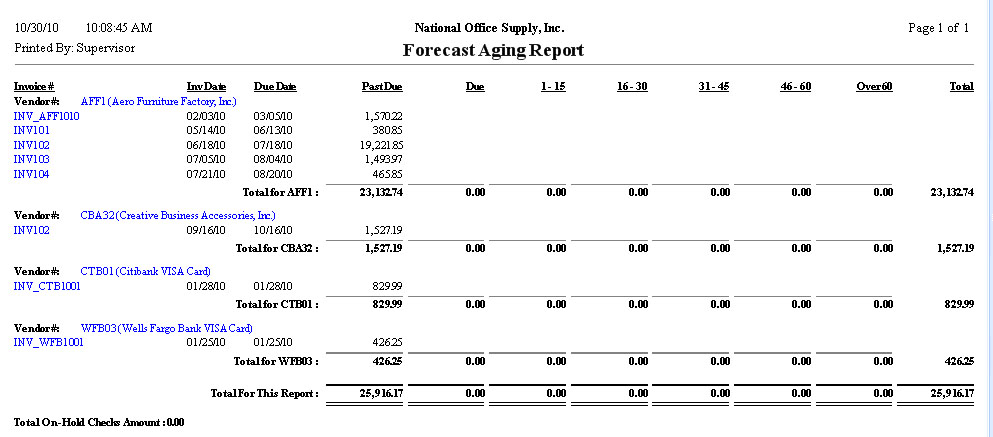
 The Forecast Aging Report provides information on outstanding invoices as of a future date. It helps you determine cash requirements to pay off the outstanding payables. This report also displays the invoices' age bracket. In generating the report, you must select a report date that will be used as the forecast
reference date. You can choose to age invoices by due date or invoice date. You can generate
the report for both regular AP invoices and open debit AP invoices, regular AP invoices only,
prepayment open debit transactions only, or all invoice types (i.e., AP invoices, open debits,
and prepayments). You can opt to show the total amount of checks on hold and multi-currencies
in the report. If you choose to sort the report by AP Account ID and to age invoices by invoice
date, you can opt to show the AP invoices’ posting dates in the report.
 Past-Due Aging Report
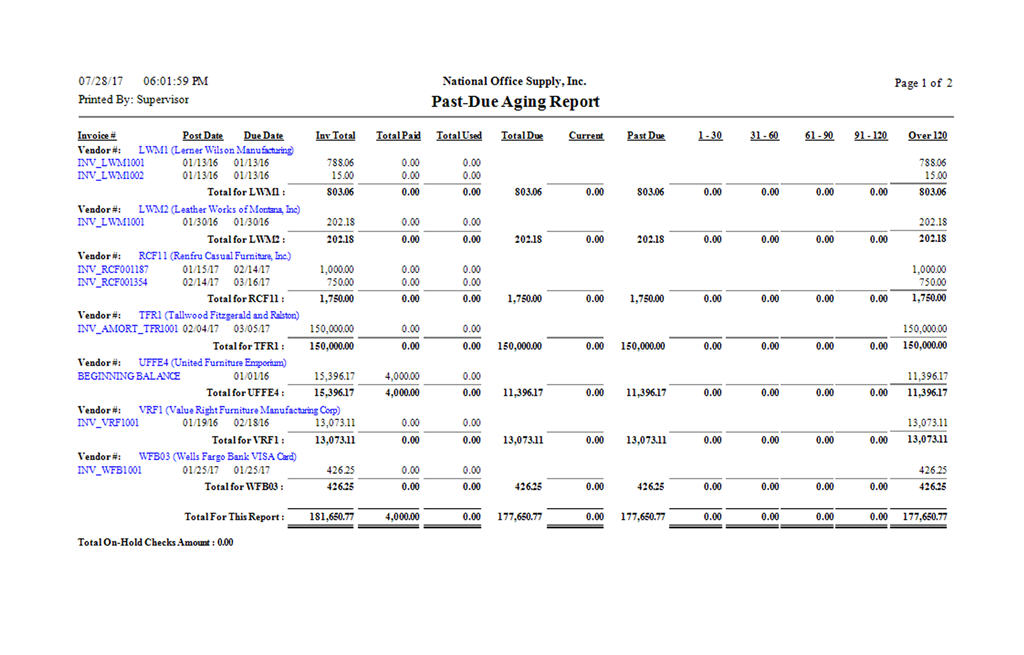
The Past-Due Aging Report provides a summary of the past-due invoices as of a certain date. The report displays the invoices' age bracket and categorizes the past-due invoices based on the number of days that have elapsed since their stated due date. This report helps determine the invoices that should be prioritized for payments and helps evaluate outstanding obligations that become overdue on a specific date. The Past-Due Aging Report allows you to generate either a current or a history aging report. If you select the Current Aging option, you can generate a report of past-due invoices as of the current AccountMate system date. If you select the History Aging option, the report will include past-due invoices as of the date you will specify in the Report Date field. You can select whether to use the invoice date, the entry date (i.e., the date when the
invoice transaction is entered into AccountMate), or the post date as the basis for the
report date. You can also choose to age the invoices by due date or invoice date. You have
the option to generate the report for both regular AP invoices and open debit invoices,
regular AP invoices, prepayment open debit transactions, or all invoice types (i.e., AP
invoices, open debits, and prepayments). You can opt to show the total amount of checks on
hold and multi-currencies in the report. If you choose to sort the report by AP Account ID
and to age invoices by invoice date, you can opt to show the AP invoices’ posting dates in
the report.
 |


